How to Activate Your PlusCredit Mastercard®

PlusCredit Website
Last Update hace 5 meses
Congratulations on your approval! The PlusCredit Mastercard® works a little differently than traditional prepaid credit cards.
Follow this guide to activate your card and choose your starting spending limit.
Step 1: Initiate Activation
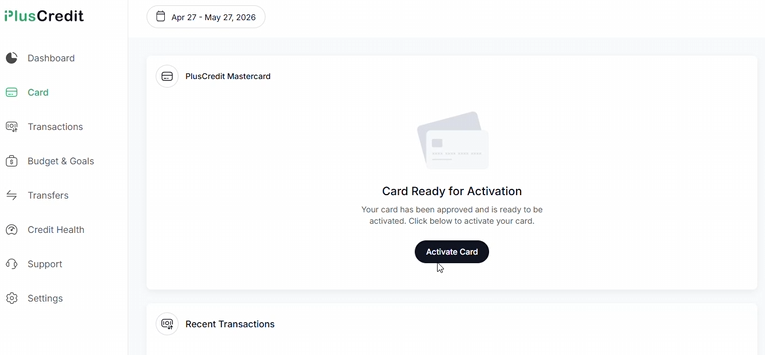
Log into your account and click on Card in the left-hand navigation menu. On the main window, click the black Activate Card button.
Step 2: Set Your Spending Limit
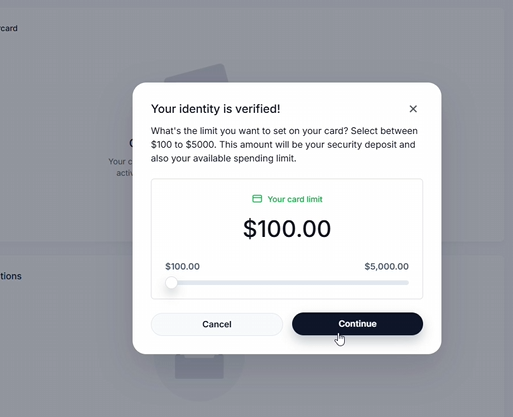
An identity confirmation message will pop up. Use the slider tool to choose an amount between $100.00 and $5,000.00. The selected amount is held as a refundable deposit to establish your spending limit. Click Continue.
Step 3: Confirm the Load Amount
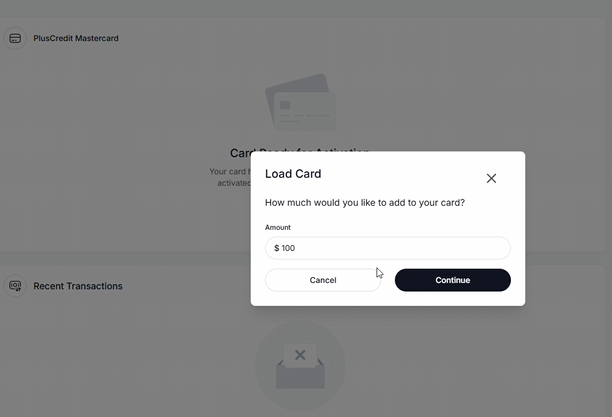
A Load Card prompt will ask you to confirm how much you would like to add to your card. Ensure the number matches your intended limit from the previous step, then click Continue.
Step 4: Choose a Funding Method
Now, choose how you would like to submit your deposit funds to load your card. Separate resources are available for both payment methods.
- Link a Bank Profile Directly: Click + Add Payment Method to securely link a bank account using our automatic portal.
- Load via Interac e-Transfer: If you prefer to send funds from your bank manually via email, select the Load via Email (Interac) option.
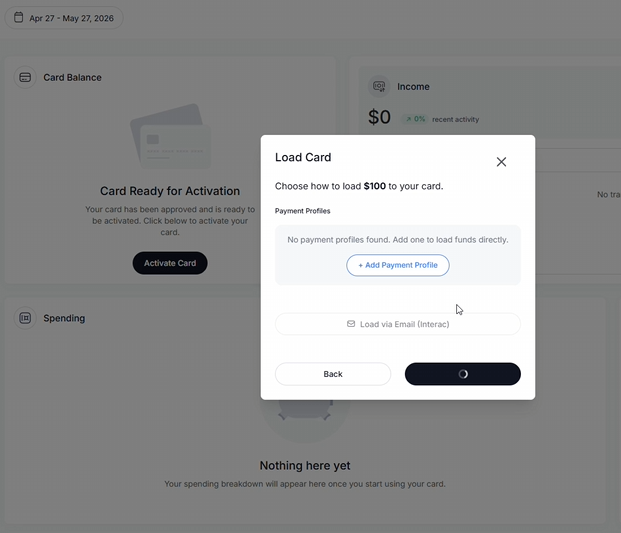
Step 5: Wait for Processing
Once your payments are confirmed, the system will process your activation request. Sit tight for just a moment while the screen loads.

Step 6: Card Activated
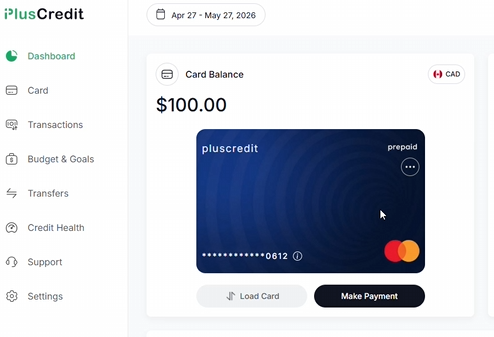
Once processing completes, you will be directed back to your main dashboard. Your physical or virtual blue pluscredit card will now be fully active, showing your available card balance and ready for immediate online or in-store use.